How to Organise a Weekly Appointment Schedule
A simple routine for planning the week ahead without surprises.
Read article →Appointment & scheduling software · One-time packages · Digital delivery
Appointment & Booking Management Software
ScheduleSpring helps freelancers, consultants and small businesses organise appointments, maintain customer information, structure availability and keep upcoming bookings easier to manage.
View Software PackagesExplore Features
Operated by Ajay Tamang · Independent UK sole trader
Clear limits
Limits are published before purchase, so you can match a package to the way you work.
The everyday problem
Appointments can quickly become difficult to manage when booking details, customer information, availability and notes are spread across messages, calendars and separate documents. ScheduleSpring provides a clearer structure for organising scheduling information.
Times and details sit across texts, emails and paper diaries.
Without one view of the day, overlapping slots are easier to miss.
It is hard to say when you are free if working hours are not written down.
Phone numbers and preferences get lost between conversations.
Preparation details are not to hand when the customer arrives.
Seeing the week ahead means piecing several sources together.
Core benefits
Tools are included according to the package you choose.
Each booking has a date, time, customer and service.
Keep contact details linked to bookings.
Set working days, time blocks and breaks.
Name services and set typical durations.
See what is pending, confirmed or completed.
Keep preparation details with the booking.
Scan today and the days ahead.
Find past bookings by customer or date.
Use durations to plan realistic days.
Organise availability across users on selected packages.
See totals by status and service.
Export data where your package includes it.
Product preview
Interface previews are illustrative and may vary according to the selected package and delivered software version.
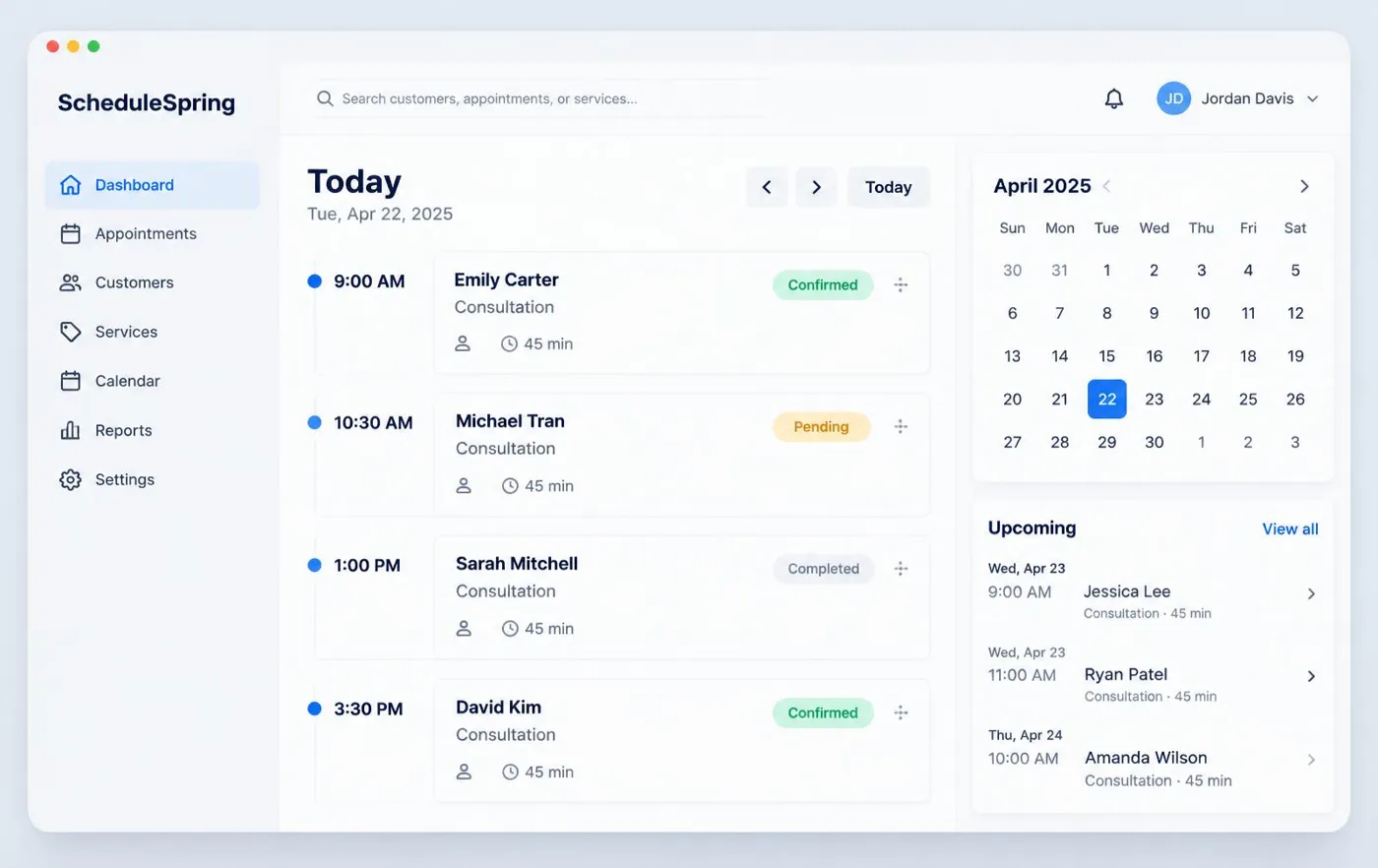
Daily agenda with time slots, customers, services, durations and statuses.
Illustrative software preview · fictional demonstration data
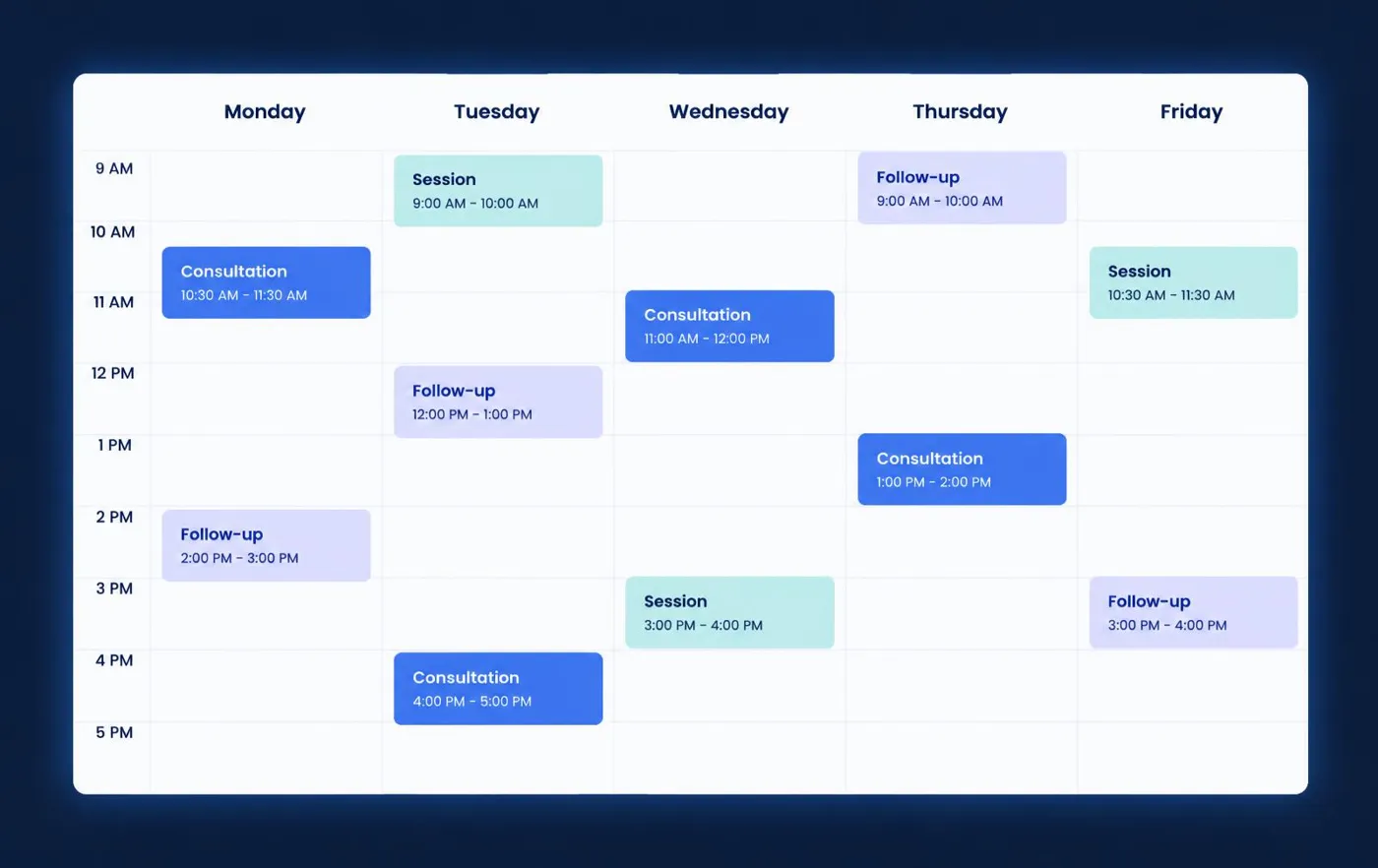
Monday to Friday laid out hour by hour so the week is easy to read.
Illustrative software preview · fictional demonstration data
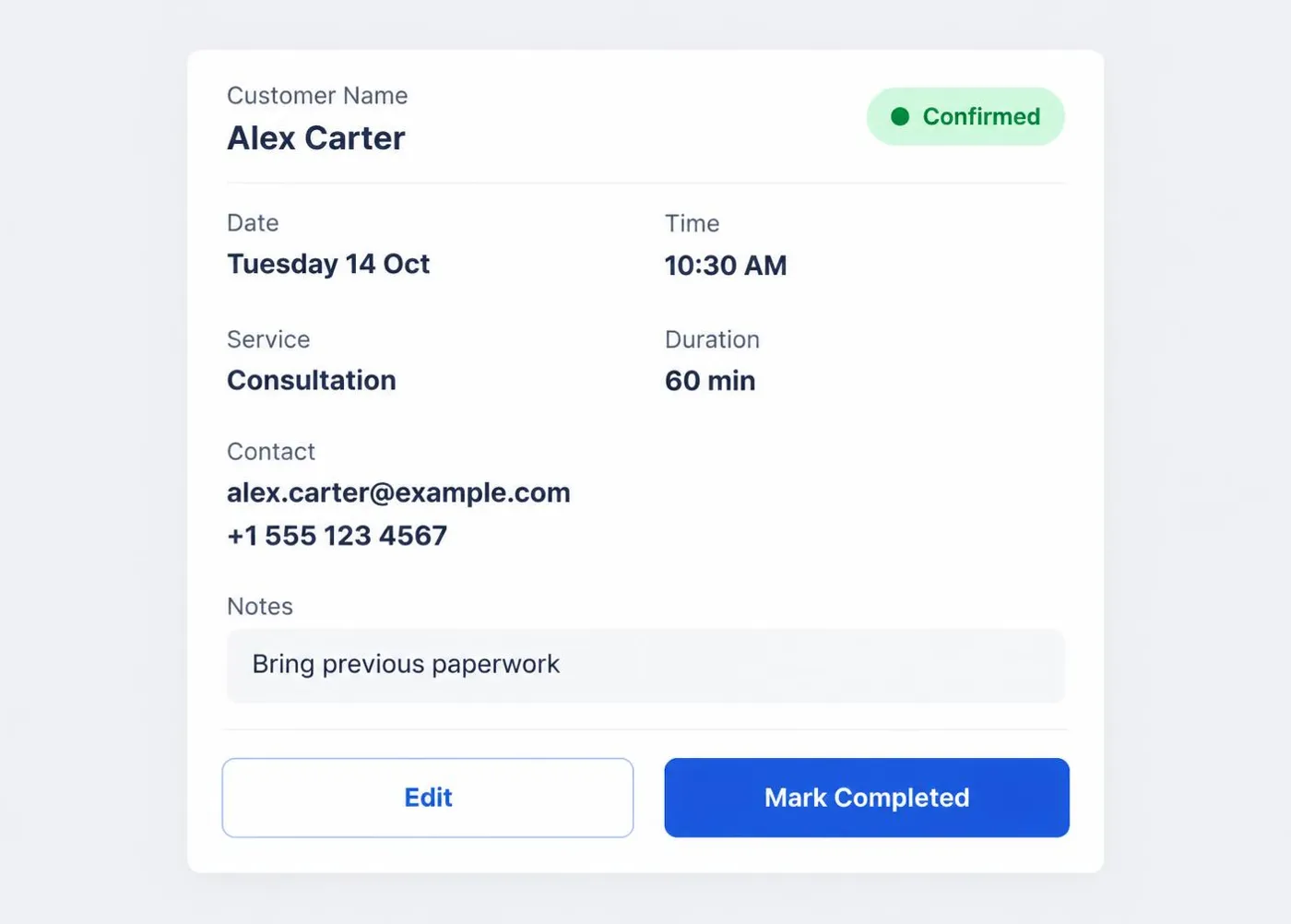
Customer, date, time, service, duration, status, contact and notes on one card.
Illustrative software preview · fictional demonstration data
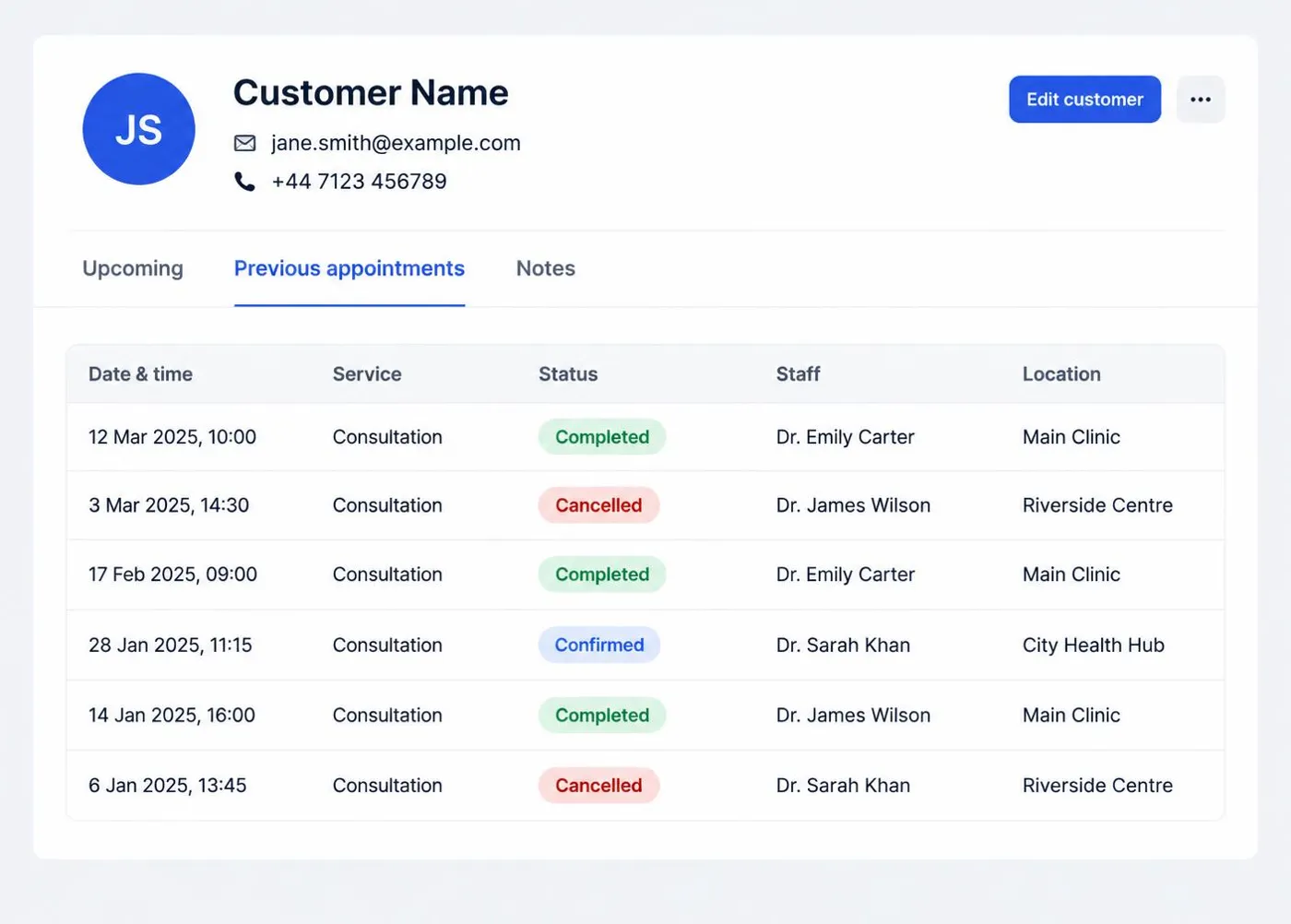
Contact details alongside upcoming and previous appointments.
Illustrative software preview · fictional demonstration data
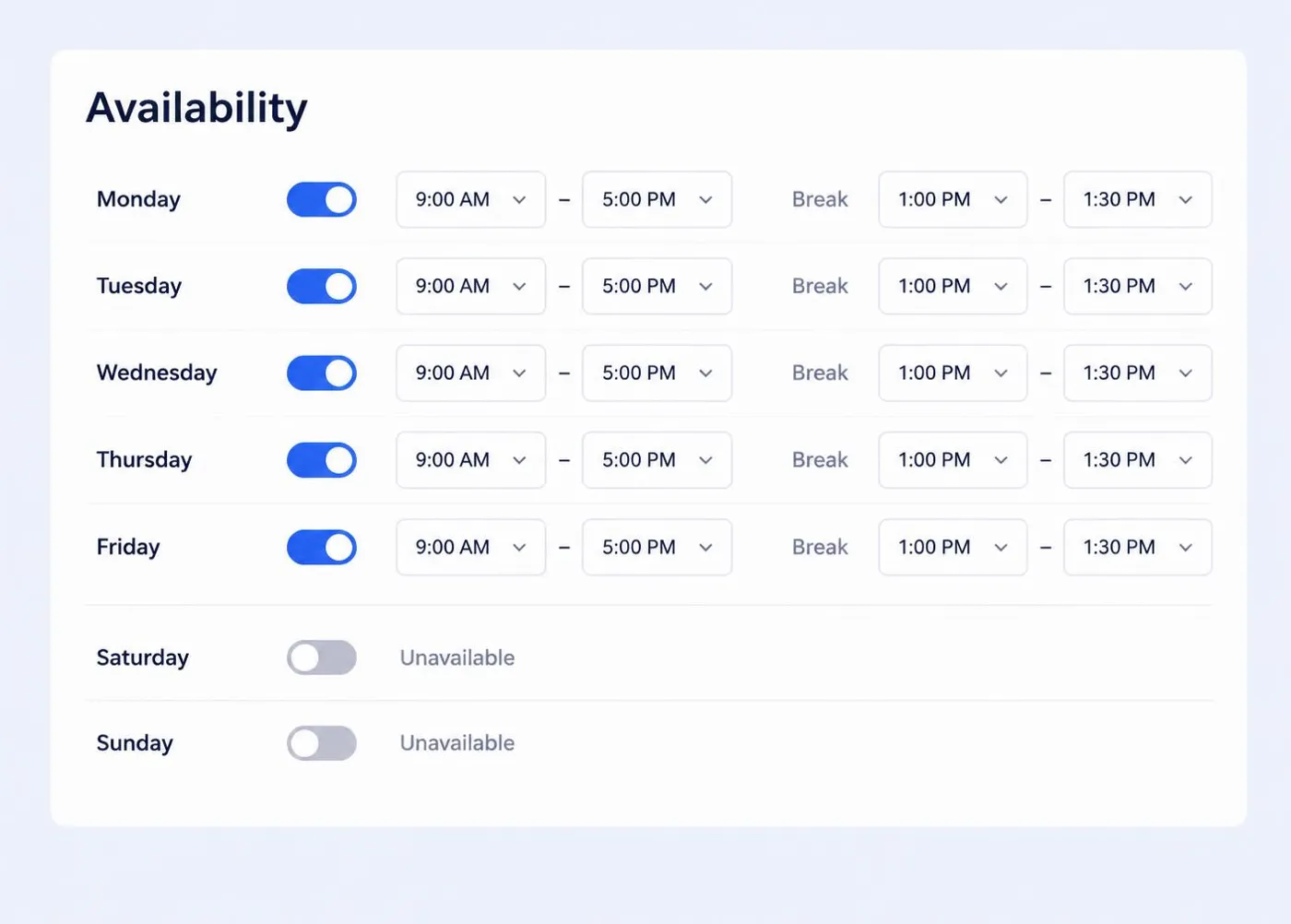
Working days, time blocks, breaks and unavailable days.
Illustrative software preview · fictional demonstration data
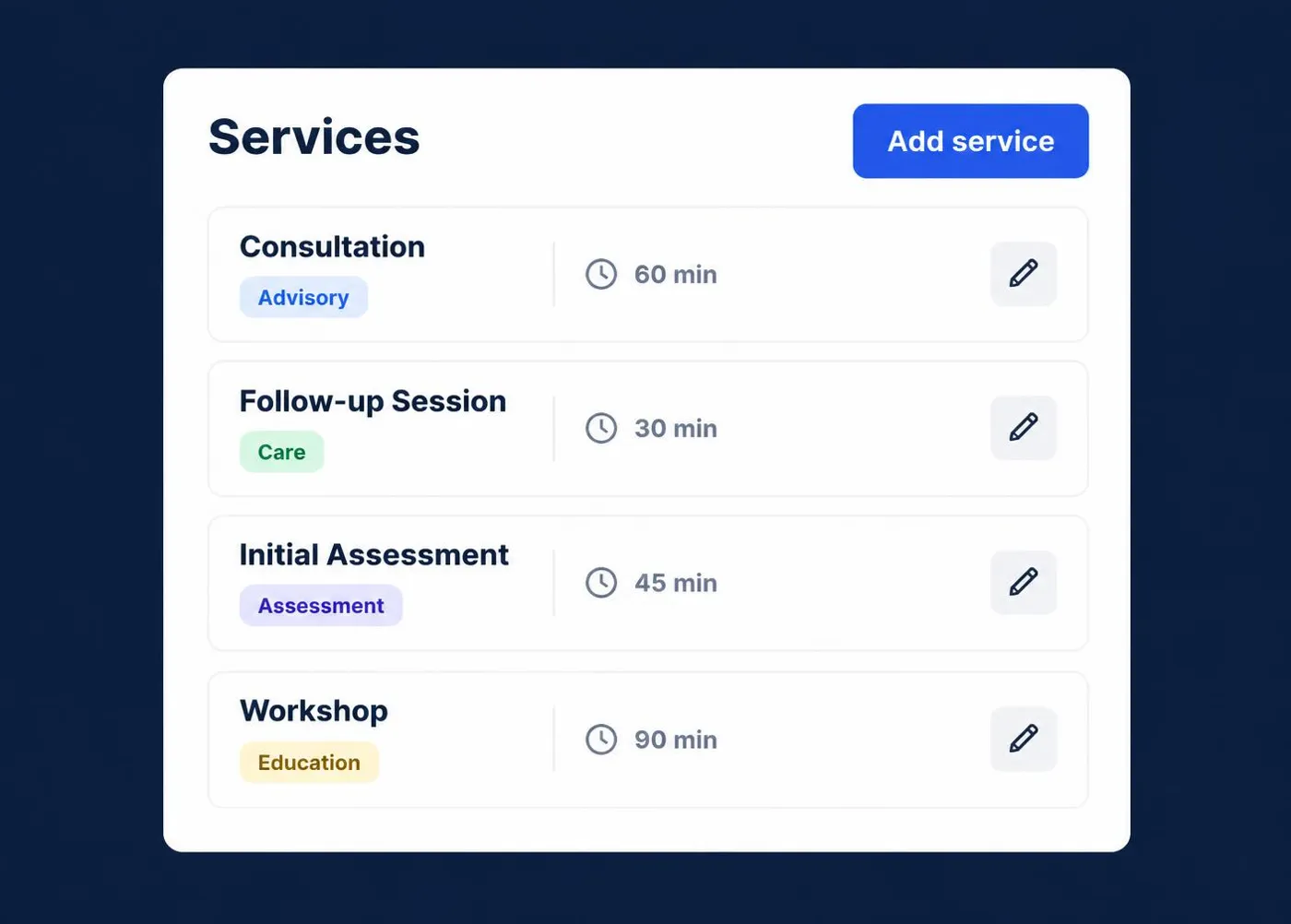
Service names, categories and typical durations.
Illustrative software preview · fictional demonstration data
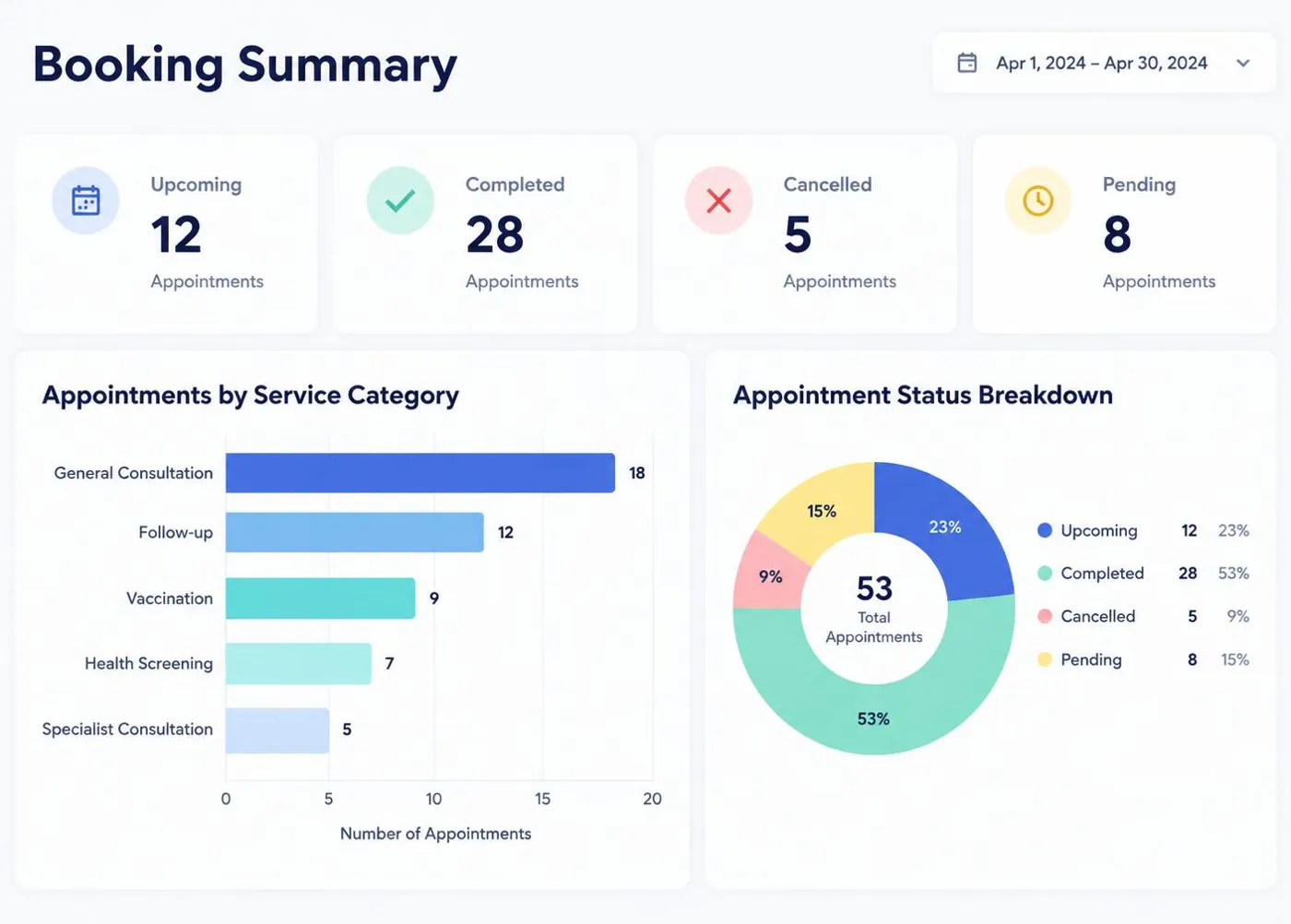
Totals by status and service based on the records you enter.
Illustrative software preview · fictional demonstration data
Calendar views
Daily and weekly views set out each booking in time order, so gaps, busy stretches and the next appointment are easy to spot.
Appointment details
Open an appointment to see everything you need before it starts.
Availability
Write down your normal working pattern once and keep it visible. ScheduleSpring does not claim live synchronisation with external calendars.
Booking status
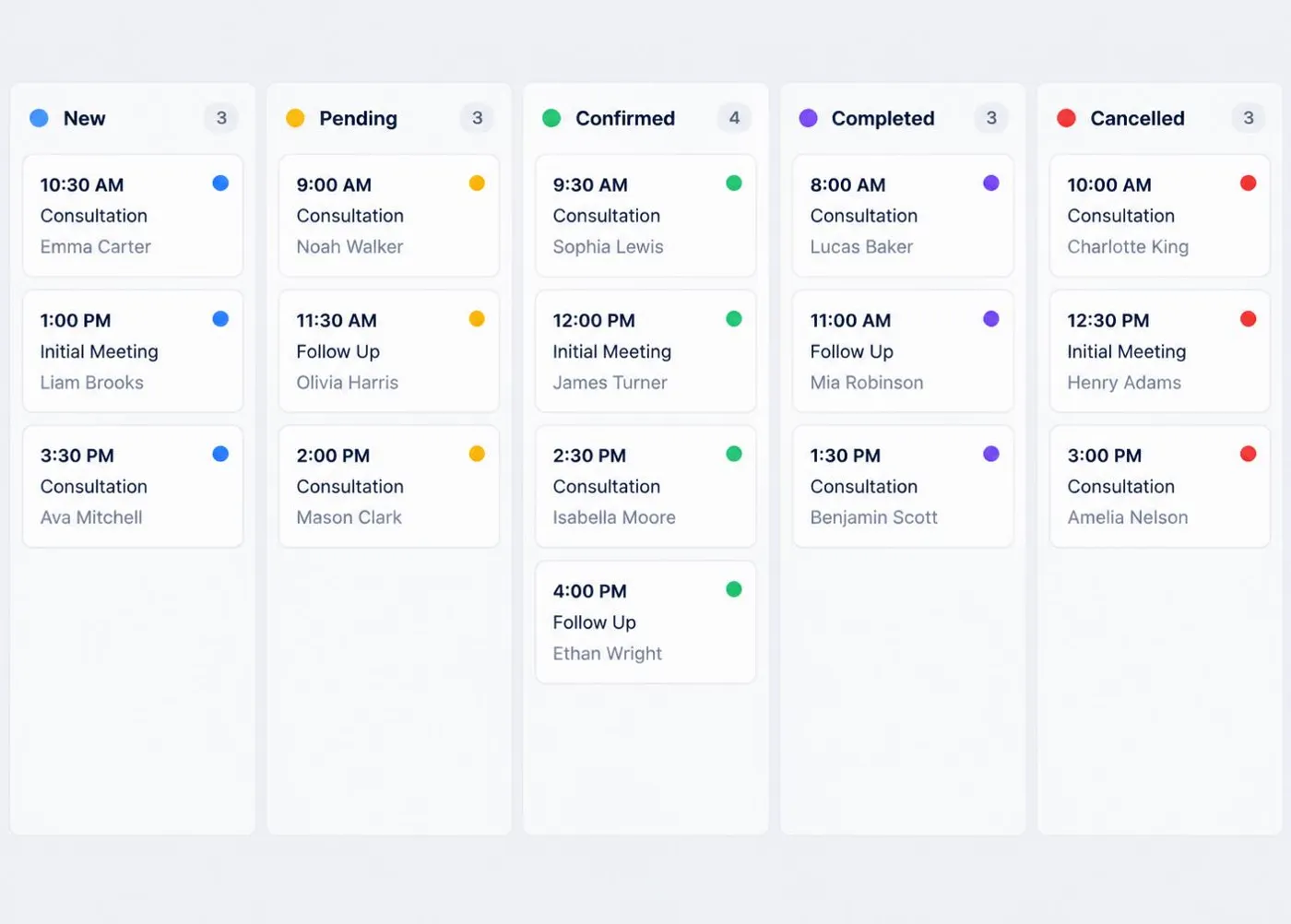
New has just been added. Pending is awaiting confirmation. Confirmed is agreed. In Progress is happening now. Completed has taken place. Cancelled will not go ahead. No Show records a missed appointment. Archived keeps old bookings out of the way while retaining the history.
Customer records
A customer record brings contact details and appointment history together.
Service types
List each service with a clear name, category and typical duration. ScheduleSpring does not collect payments from your customers.
Booking notes
Notes sit on the booking itself, so the context is there when you need it.

Step by step
From choosing a package to reviewing your first organised week.
Read the limits and features.
Match users, bookings and records.
Pay once through secure checkout.
Sent by email after confirmation.
Add service names and durations.
Set working days and breaks.
Record bookings with statuses.
Keep details linked to bookings.
Check today and the week ahead.
Help is available at your package level.
Who it is for
Designed for independent professionals and small appointment-based businesses in the UK.
Client calls and sessions in one place.
Consultations with notes and history.
Sessions and follow-ups.
Lessons and learner details.
Treatments, durations and clients.
Training sessions between classes.
Consultations and shoot dates.
Visits and customer details.
Bookings across permitted users.

Pricing
Seven packages are available. Every price is a single GBP payment with no automatic renewal.
For individuals
£49 one-time
A simple appointment-management package for an individual professional who needs an organised way to maintain a smaller number of appointments and customer records.
One-time payment · No automatic renewal · Secure Stripe payment on this site
Popular choice
£119 one-time
A professional scheduling package for businesses requiring greater booking capacity, structured availability and richer customer records.
One-time payment · No automatic renewal · Secure Stripe payment on this site
Complete package
£625 one-time
A comprehensive one-time scheduling software package for established small businesses requiring larger capacity, broader configuration and structured onboarding support.
One-time payment · No automatic renewal · Secure Stripe payment on this site
Why ScheduleSpring
Pay once for a defined package.
Users, appointments and records stated up front.
Nothing renews monthly or annually.
Consistent fields for every booking.
Details linked to appointment history.
Working patterns written down clearly.
Multi-user allowances on selected packages.
Instructions follow confirmed payment.
ScheduleSpring is independently owned and operated by Ajay Tamang as a sole trader in the United Kingdom.
Payment
ScheduleSpring packages are purchased through one-time payments. The listed packages do not automatically renew monthly or annually.
A single price for your package.
No recurring charge is set up.
All prices in pounds sterling.
Users, appointments and records stated.
Access or setup information by email.
Card details handled by Stripe.
After purchase
Your successful payment is verified.
The selected package is checked.
Digital access or setup information is sent.
Setup guidance starts where included.
Included support becomes available.
Requirements outside the package can be quoted separately.
Insights
Plain-English guidance, written for small businesses.
A simple routine for planning the week ahead without surprises.
Read article →A short set of statuses that describes every stage without confusion.
Read article →Keep past and future bookings easy to find for each customer.
Read article →Turn your working pattern into availability you can rely on.
Read article →Keep active schedules clean without losing history.
Read article →FAQ
ScheduleSpring is digital appointment, availability and booking-management software for freelancers, consultants, sole traders and small businesses.
No. Every listed package is a one-time software purchase.
No. There is no automatic monthly or annual renewal.
Your payment is verified, the selected package is reviewed, and digital access or setup information is sent to the email address used at checkout.
An appointment that is New, Pending, Confirmed or In Progress. Completed, cancelled and archived bookings do not count towards the active limit unless the delivered version states otherwise.
No. ScheduleSpring does not guarantee booking volume, revenue or any commercial outcome.
Compare ScheduleSpring packages and choose the capacity that matches your appointments, customers and user requirements.